


ကၽြန္ေတာ္အခုတင္ေပးလိုက္တဲ့
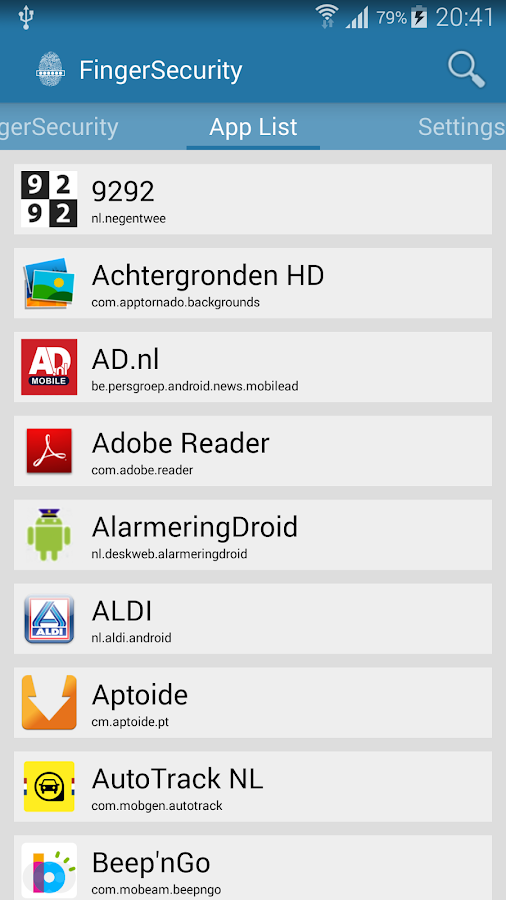
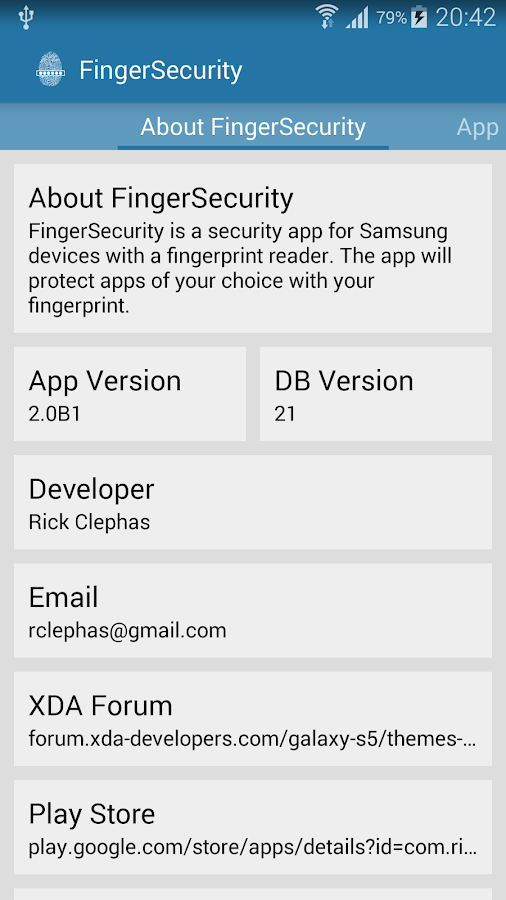
Application ေလးကေတာ့ မိမိရဲ႕ဖုန္းထဲမွာမသံုးေစခ်င္တဲ့ Application
မ်ားကို မသံုးနိုင္ေအာင္ပိတ္ထားေပးမယ့္ Finger Security Premium
ျဖစ္ပါတယ္ဗ်ာ။ လက္ေဗြစနစ္ေလး နဲ႕အပိတ္အဖြင့္လုပ္လို႕ရတယ္ဆိုေတာ့
တမ်ိဳးေလးဆန္းတာေပါ့ဗ်ာ။ ဖုန္းရဲ႕ Screen ေပၚမွာ လက္ေဗြေလး ကိုတင္ျပီး
မသံုးေစခ်င္တာေတြကိုပိတ္ထားေပးနိုင္ပါတယ္။ အမွန္ေတာ့
လက္ေဗြစနစ္အမွန္အကန္ေတာ့ မဟုတ္ပါဘူးဗ်ာ။ လက္ဖိထားတုန္းမ်ာ Vibrate
အၾကိမ္အေရအတြက္နဲ႕ သတ္မွတ္ေပးထားတာျဖစ္ပါတယ္ ဗ်ာ။ ဒါေပမယ့္
လက္ေဗြနဲ႕ဖြင့္ပိတ္လုပ္တဲ့ ပံုစံေလးဆိုေတာ့ လူရွိန္တာေပါ့ေနာ္။
တကယ္တမ္းလည္း အသံုး တည့္ေစပါတယ္။ Android OS 4.3
ႏွင့္အထက္ဖုန္းမာ်းမွာအသံုးျပဳႏိုင္မွာျဖစ္ပါတယ္ဗ်ာ။
ေလးကေတာ့ မိမိရဲ႕ဖုန္းထဲမွာမသံုးေစခ်င္တဲ့ Application
မ်ားကို မသံုးနိုင္ေအာင္ပိတ္ထားေပးမယ့္ Finger Security Premium
ျဖစ္ပါတယ္ဗ်ာ။ လက္ေဗြစနစ္ေလး နဲ႕အပိတ္အဖြင့္လုပ္လို႕ရတယ္ဆိုေတာ့
တမ်ိဳးေလးဆန္းတာေပါ့ဗ်ာ။ ဖုန္းရဲ႕ Screen ေပၚမွာ လက္ေဗြေလး ကိုတင္ျပီး
မသံုးေစခ်င္တာေတြကိုပိတ္ထားေပးနိုင္ပါတယ္။ အမွန္ေတာ့
လက္ေဗြစနစ္အမွန္အကန္ေတာ့ မဟုတ္ပါဘူးဗ်ာ။ လက္ဖိထားတုန္းမ်ာ Vibrate
အၾကိမ္အေရအတြက္နဲ႕ သတ္မွတ္ေပးထားတာျဖစ္ပါတယ္ ဗ်ာ။ ဒါေပမယ့္
လက္ေဗြနဲ႕ဖြင့္ပိတ္လုပ္တဲ့ ပံုစံေလးဆိုေတာ့ လူရွိန္တာေပါ့ေနာ္။
တကယ္တမ္းလည္း အသံုး တည့္ေစပါတယ္။ Android OS 4.3
ႏွင့္အထက္ဖုန္းမာ်းမွာအသံုးျပဳႏိုင္မွာျဖစ္ပါတယ္ဗ်ာ။
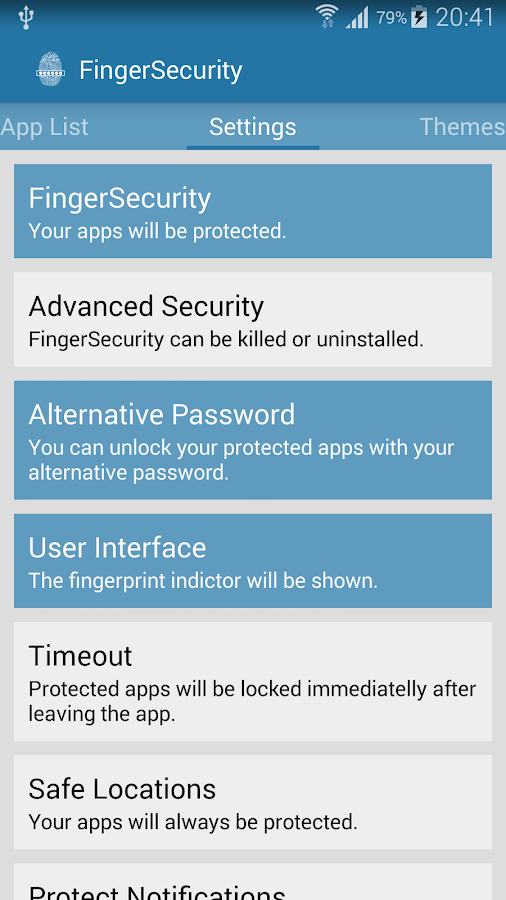
Functions:
– Widget for quick enable / disable service
– Timeout to allow short absence or absence till you lock the screen
– Location based security so that you don’t have to unlock your apps when you are at home (WiFi and Bluetooth).
– Advanced Security to prevent uninstall
– Auto protect new apps
– Hide UI for finger scanner
– Alternative password
– Custom per app settings
– Protect Notifications(after ticker text)
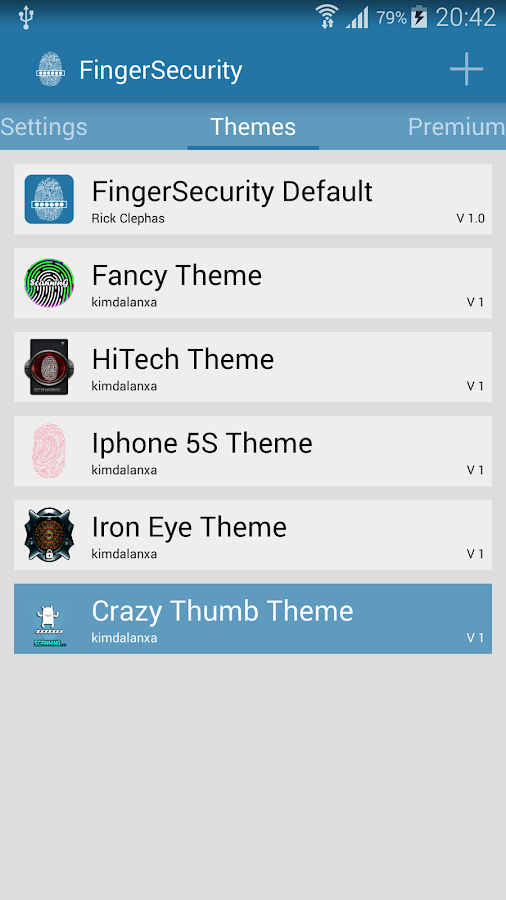
– Use themes
– Use Specific Fingers to unlock different apps
ေလးကေတာ့ မိမိရဲ႕ဖုန္းထဲမွာမသံုးေစခ်င္တဲ့ Application
မ်ားကို မသံုးနိုင္ေအာင္ပိတ္ထားေပးမယ့္ Finger Security Premium
ျဖစ္ပါတယ္ဗ်ာ။ လက္ေဗြစနစ္ေလး နဲ႕အပိတ္အဖြင့္လုပ္လို႕ရတယ္ဆိုေတာ့
တမ်ိဳးေလးဆန္းတာေပါ့ဗ်ာ။ ဖုန္းရဲ႕ Screen ေပၚမွာ လက္ေဗြေလး ကိုတင္ျပီး
မသံုးေစခ်င္တာေတြကိုပိတ္ထားေပးနိုင္ပါတယ္။ အမွန္ေတာ့
လက္ေဗြစနစ္အမွန္အကန္ေတာ့ မဟုတ္ပါဘူးဗ်ာ။ လက္ဖိထားတုန္းမ်ာ Vibrate
အၾကိမ္အေရအတြက္နဲ႕ သတ္မွတ္ေပးထားတာျဖစ္ပါတယ္ ဗ်ာ။ ဒါေပမယ့္
လက္ေဗြနဲ႕ဖြင့္ပိတ္လုပ္တဲ့ ပံုစံေလးဆိုေတာ့ လူရွိန္တာေပါ့ေနာ္။
တကယ္တမ္းလည္း အသံုး တည့္ေစပါတယ္။ Android OS 4.3
ႏွင့္အထက္ဖုန္းမာ်းမွာအသံုးျပဳႏိုင္မွာျဖစ္ပါတယ္ဗ်ာ။ Functions:
– Widget for quick
enable / disable service– Timeout to allow short absence or absence till you lock the screen
– Location based security so that you don’t have to unlock your apps when you are at home
(WiFi and Bluetooth).– Advanced Security to prevent uninstall
– Auto protect new
apps– Hide UI for finger scanner
– Alternative password
– Custom per app settings
– Protect Notifications(after ticker text)
– Use themes
– Use Specific Fingers to unlock different apps
** Step-1.ေအာက္က Download Button ကိုႏွိပ္လိုက္ပါ
** Step-2. "5sec". ေလာက္ေစာင္႕ေပးပါ။
** Step-3. " << SKIP AD >> ".ကိုႏွိပ္ေပးပါ။
** Step-4. Download Link က်လာပါလိမ္႕မယ္။
** အဆင္ေျပပါေစဗ်ာ။

No comments:
Post a Comment